A practical guide for first-time visitors to Seoul, Korea University students, and travelers staying near Anam-dong
Confused about Naver Map vs Google Maps in Korea? Find out which app works better for Seoul subway, buses, restaurants, and walking — with practical tips from a local host near Korea University.
Most travelers heading to Korea ask the same question before they arrive.
"Can I just use Google Maps in Korea?"
The honest answer is: you can, but it may not be enough.
Google Maps is useful for trip planning and understanding Seoul's overall layout. But once you arrive and start moving around the city — taking the subway, finding the right exit, checking bus times, searching for a local restaurant, or walking through small streets — you may find Naver Map more practical for daily travel in Korea.
This guide explains how Naver Map and Google Maps are different in Korea, and how to use both apps together for a smoother trip.
1. The Short Answer — Use Both
Do not choose one over the other.
Use each app for what it does best.
| Google Maps | Trip planning, saving places, understanding Seoul's overall layout |
| Naver Map | Subway, buses, walking directions, restaurants, local search |
💡 Host Tip from STAY Lumi: Install both apps before you leave home. Set Naver Map to English in the settings, and save your accommodation address in both apps before arrival day.
2. Why Google Maps Has Limitations in Korea
In many countries, Google Maps handles almost everything — navigation, public transportation, restaurants, and walking directions.
In Korea, the situation has been different.
Because of South Korea's mapping data regulations and security-related restrictions, Google Maps has not always provided the same level of local navigation detail in Korea as it does in many other countries.
This can affect things like:
- Walking directions in small local streets
- Real-time bus information
- Local Korean restaurant and café search
- Subway exit guidance
- Detailed navigation around smaller neighborhoods
This does not mean Google Maps is useless in Korea.
It is still helpful for planning your trip, understanding Seoul's overall layout, checking major areas, and saving places before you arrive.
However, once you are actually moving around Seoul, Naver Map is often more practical.
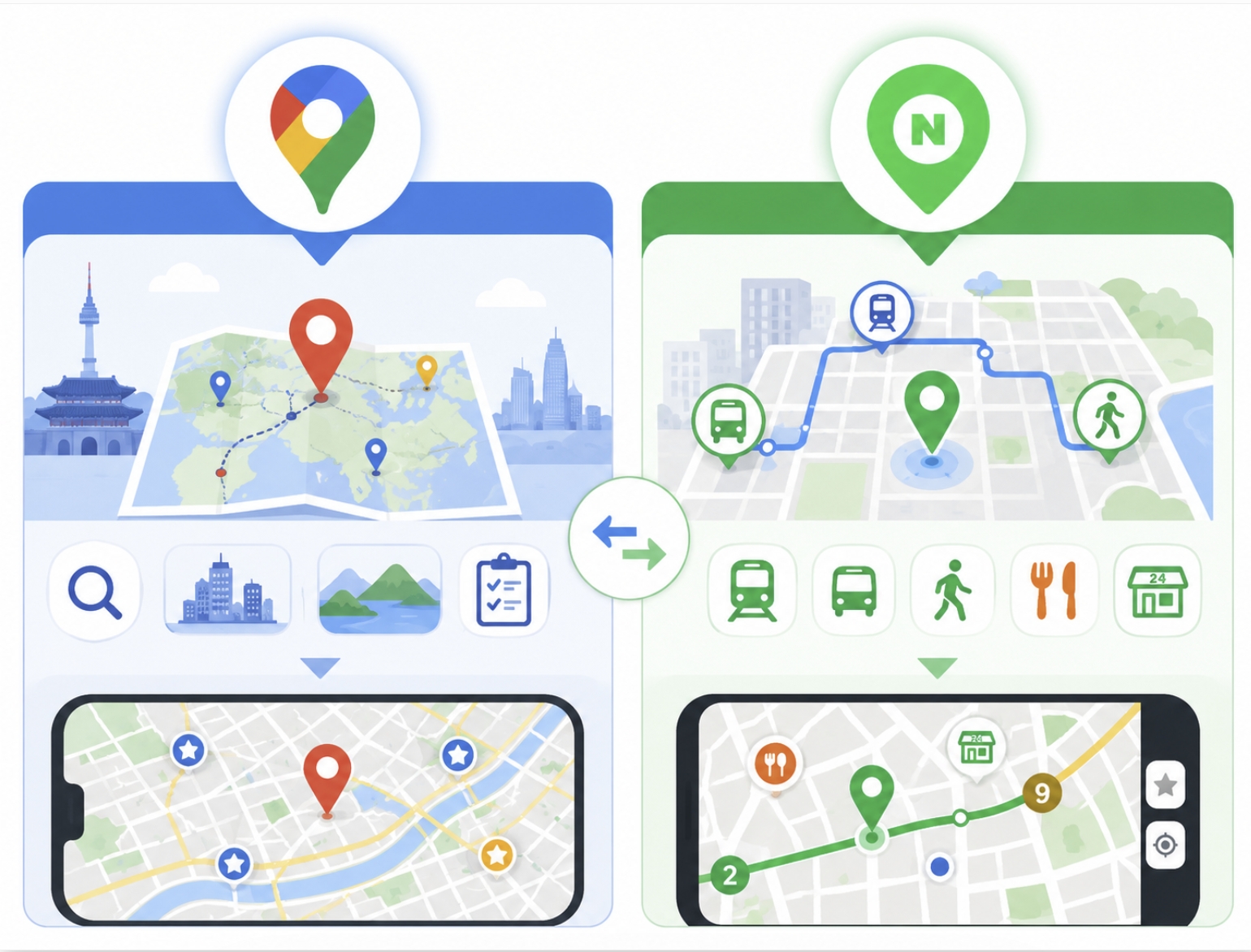
3. Why Naver Map Works Better for Getting Around Korea
Naver Map is one of the map apps commonly used in Korea.
For travelers, its biggest strength is local detail.
It is especially useful when you need to find subway routes, bus information, walking directions, restaurants, cafés, convenience stores, pharmacies, hospitals, and small local places.
Naver Map is helpful for:
- Real-time subway and bus information
- Walking directions through local streets
- Subway exit guidance
- Local restaurant and café search
- Nearby search for convenience stores, pharmacies, ATMs, and hospitals
- Korean place name and address search
Naver Map also provides English maps and navigation, although not every local place name, menu, or review will be fully translated. So it is a good idea to save important addresses in advance.
4. Full Comparison — Naver Map vs Google Maps in Korea
| Real-time bus information | Strong for local use | May be limited depending on area |
| Walking directions | Detailed for local streets | May be less detailed in some places |
| Subway exit guidance | Specific and useful | More limited |
| Korean restaurant search | Strong local listings | Useful, but not always complete |
| English interface | Available | Easy to use |
| Saving places | Available | Very convenient |
| Pre-trip planning | Useful, but less familiar | Excellent |
| Local Korean reviews | Extensive | More limited |
| Best timing | After arriving in Korea | Before arriving and during planning |
The best answer is simple.
Use Google Maps before your trip. Use Naver Map when you are actually moving around Korea.
5. How to Use Both Apps Together
Before your trip, use Google Maps to:
- Understand where major areas of Seoul are located
- Check the distance between Incheon Airport, your accommodation, and key attractions
- Save places you want to visit
- Plan your general itinerary
- Get a broad sense of Seoul's layout
After arriving in Korea, use Naver Map to:
- Walk from your accommodation to the subway station
- Check real-time bus arrival times
- Find the correct subway exit
- Search for nearby restaurants and cafés
- Find convenience stores, pharmacies, ATMs, and hospitals
- Navigate small local streets
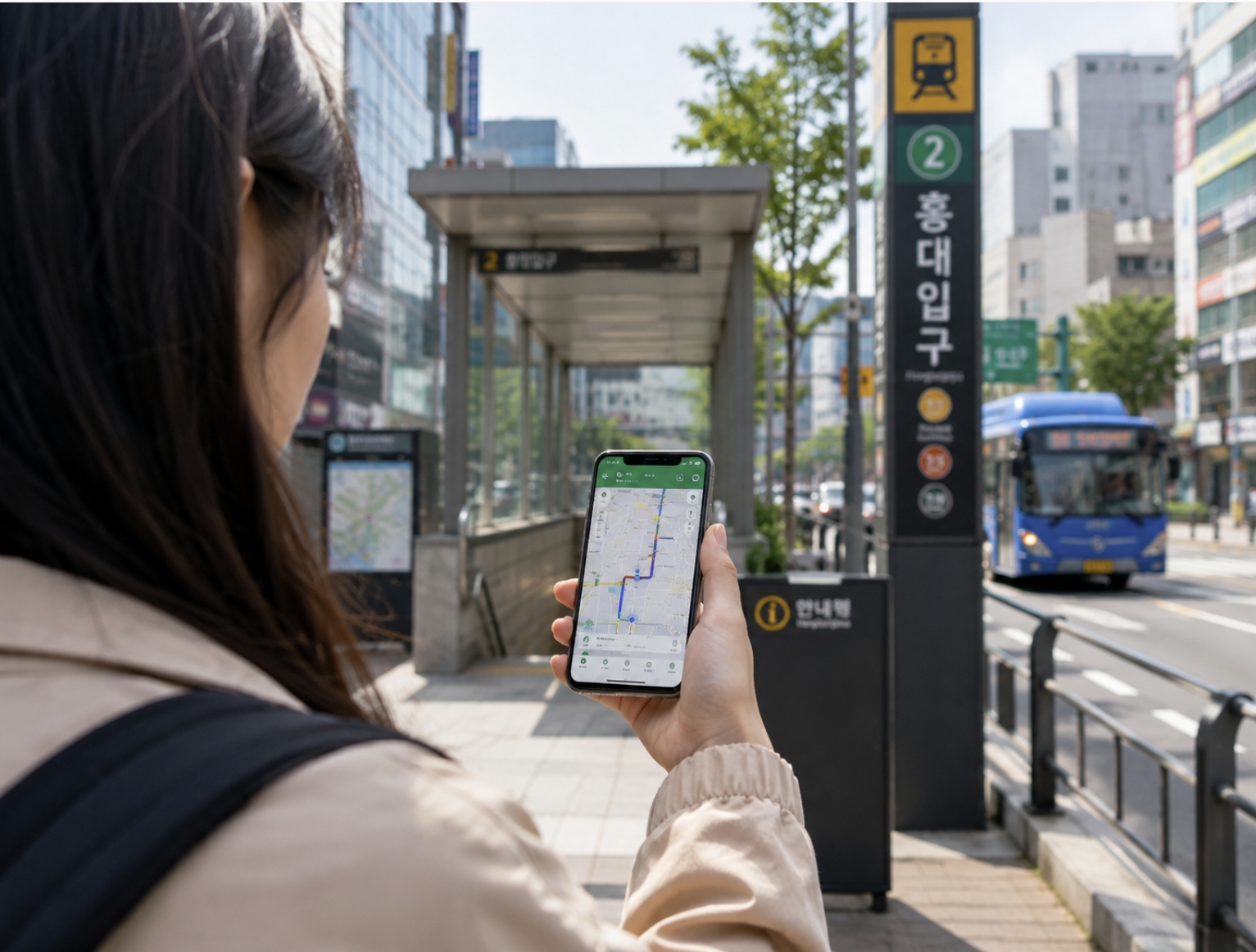
6. How to Set Up Naver Map in English
Before arriving in Korea, you can prepare Naver Map in a few simple steps.
- Download Naver Map from the App Store or Google Play Store — it's free
- Open the app and tap the menu icon (☰) in the top right corner
- Go to Settings → Language → English
- Search for your accommodation address
- Save it as a favorite by tapping the heart icon (♥)
- Try searching "Anam Station" or "Korea University" to get familiar with the app
✅ You do not need to create an account for basic use. Most essential map and navigation features can be used without signing in.
7. STAY Lumi Host Tip
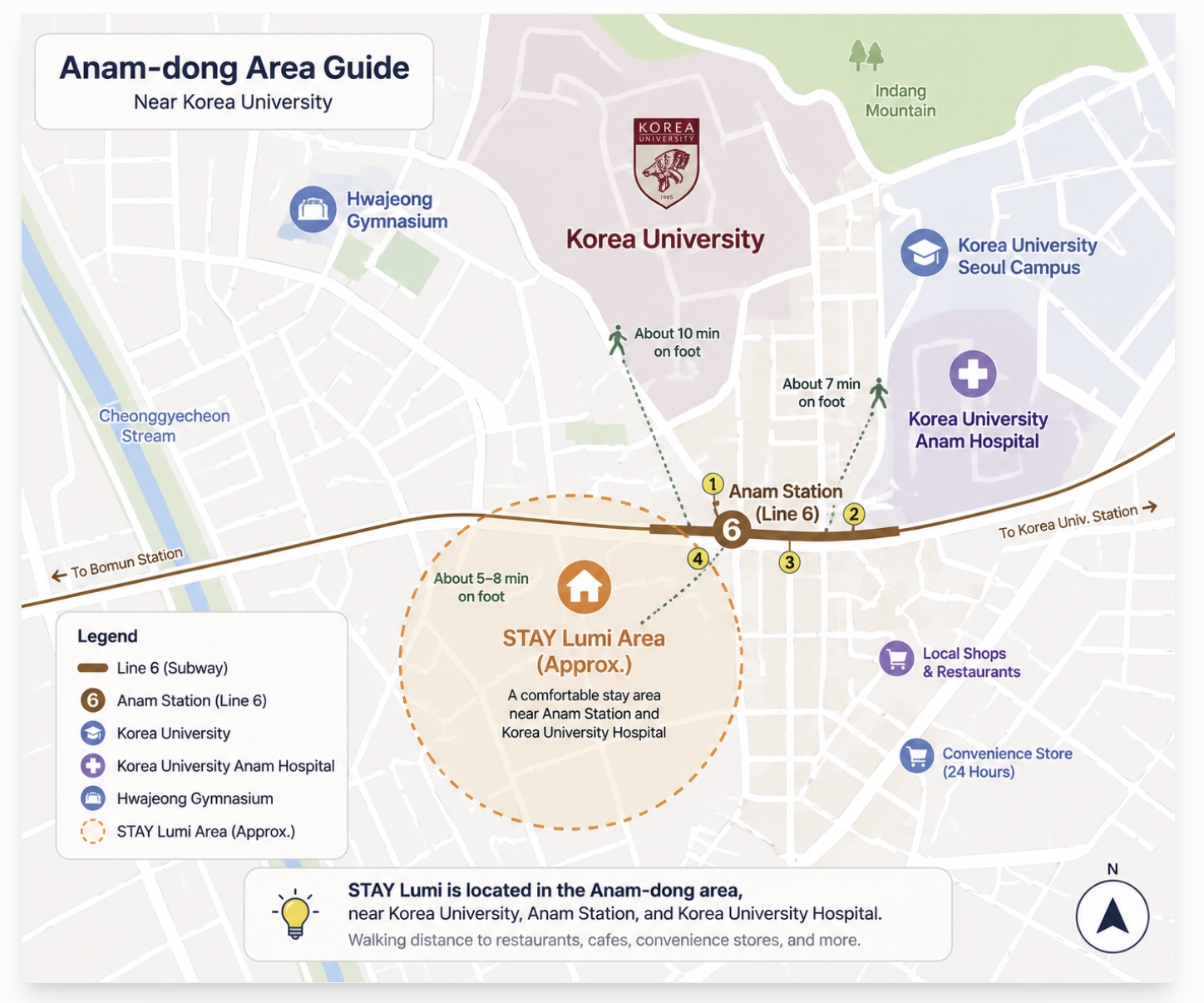
Many international guests staying near Korea University, Anam Station, and Korea University Hospital find the area a little confusing at first, especially the subway exits and small local streets.
Here is what I usually recommend to guests:
- Use Google Maps to understand the overall location before arriving
- Use Naver Map for the actual walk from Anam Station to your accommodation
- Save your accommodation address in Naver Map on arrival day
- Use Naver Map when searching for restaurants, cafés, and convenience stores nearby
Around Anam-dong, Naver Map is especially useful because many small local places may be easier to find through Korean map services.
STAY Lumi is not listed on Naver Map. To book your stay, please visit us directly on Airbnb.
👉 (Airbnb link — add here)
8. FAQ — Naver Map vs Google Maps Korea
Q: Can I use Google Maps in Korea?
Yes, you can use Google Maps in Korea. It is useful for planning your trip and understanding the overall layout of Seoul. However, for local navigation, walking routes, subway exits, and public transportation, Naver Map is often more practical.
Q: Is Naver Map available in English?
Yes. Naver Map provides English maps and navigation. However, not every restaurant name, review, menu, or small local listing may be fully translated, so saving important Korean place names in advance can help.
Q: Which app should I install before traveling to Korea?
Install both. Use Google Maps for pre-trip planning and use Naver Map for daily navigation after arriving in Korea.
Q: Which app is better for finding restaurants in Korea?
Naver Map is usually more useful for finding local Korean restaurants and cafés. It has many local listings, reviews, photos, menus, and nearby search results.
Q: Do I need Naver Map near Korea University or Anam-dong?
Yes. Around Korea University, Anam Station, and Korea University Hospital, subway exits and small streets can be important. Naver Map can make walking around this area much easier.
Q: Do I need a Korean account to use Naver Map?
No. You can use many basic features without creating an account. However, signing in may be useful if you want to save more places or use advanced features.
✅ Quick Summary
| Planning your trip before arriving | Google Maps |
| Saving places and attractions | Google Maps or Naver Map |
| Subway and bus navigation in Seoul | Naver Map |
| Walking directions in local streets | Naver Map |
| Finding restaurants and cafés | Naver Map |
| Searching Korean addresses | Naver Map |
| Understanding Seoul's overall layout | Google Maps |
Do not rely only on Google Maps in Korea. Install Naver Map before you arrive — it can make every day of your trip much easier.
More Korea Travel Guides
If you are preparing for a trip to Korea, these guides may also help you plan your first few days in Seoul.
How to Install Naver Map Before Traveling to Korea (2026)
The Essential Navigation App for Korea University Students & Seoul VisitorsWhy Google Maps isn't enough in Korea — and what to use instead Planning your first trip to Seoul — or just arrived?Before you do anything else, install Naver Map (네이버지
ncss66.com
How to Use a Tmoney Card in Seoul
How to Use a Tmoney Card in SeoulEasy Transportation Guide for Korea University Students and First-Time Visitors If you are visiting Seoul for the first time, a Tmoney card is one of the easiest ways to use public transportation in Korea.This guide is espe
ncss66.com
How to Get from Incheon Airport to Anam-dong, Seoul (2026) — Subway, Bus & Taxi Guide
The easiest route to Korea University, Anam Station, and STAY Lumi — from an experienced local host If you're visiting Korea University, staying in Anam-dong, or heading to a guesthouse near Anam Station (Line 6) — one of the first questions you'll hav
ncss66.com
Final Thoughts
The right map app can make the difference between a stressful first day in Seoul and a smooth, confident arrival.
Google Maps is a great planning tool. It helps you understand Seoul's overall layout and save the places you want to visit.
But Naver Map is what you actually need when you are walking through Anam-dong, finding the right subway exit, checking bus times, or searching for a late-night convenience store.
Install both before you leave. Your future self will thank you.
Have questions about getting around Seoul? Leave a comment below — I'll be happy to help! 👇
About STAY Lumi
STAY Lumi is a private stay located near Korea University, Anam Station, and Korea University Hospital in Seoul. As a host who has welcomed international guests, I often answer practical questions about transportation, local streets, and daily travel in Korea. This blog shares those real hosting experiences to help first-time visitors feel more prepared before arriving in Seoul.
If you are planning to stay near Korea University or Anam Station, you are welcome to check availability directly on Airbnb.
👉 http://airbnb.co.kr/h/lumi2026


