Arriving in Korea for the first time? One of the first things many visitors want to do after landing at Incheon Airport is buy a SIM card or get connected to the internet.
This guide explains how to buy a Korean SIM card, use a Korea eSIM, or rent Pocket WiFi at Incheon Airport. It also covers what to prepare before buying one and which option may be best for your trip.
Quick Summary
- You can buy or pick up a Korean SIM card at Incheon Airport.
- A Korea eSIM is convenient if your phone supports it.
- Pocket WiFi can be useful for families or groups.
- Bring your passport and check if your phone is unlocked.
- Test your mobile data before leaving the airport.
1. Can You Buy a SIM Card at Incheon Airport?
Yes, you can buy or pick up a Korean SIM card at Incheon International Airport.
Major Korean telecom providers have service counters or pickup locations at Incheon Airport. However, exact locations, available products, and opening hours may change.
Before your trip, it is a good idea to check the airport or provider information, especially if you are arriving late at night or early in the morning.
For most travelers, buying or picking up a SIM card at the airport is one of the easiest ways to get connected right after arrival.
2. SIM Card, eSIM, and Pocket WiFi: What Is the Difference?
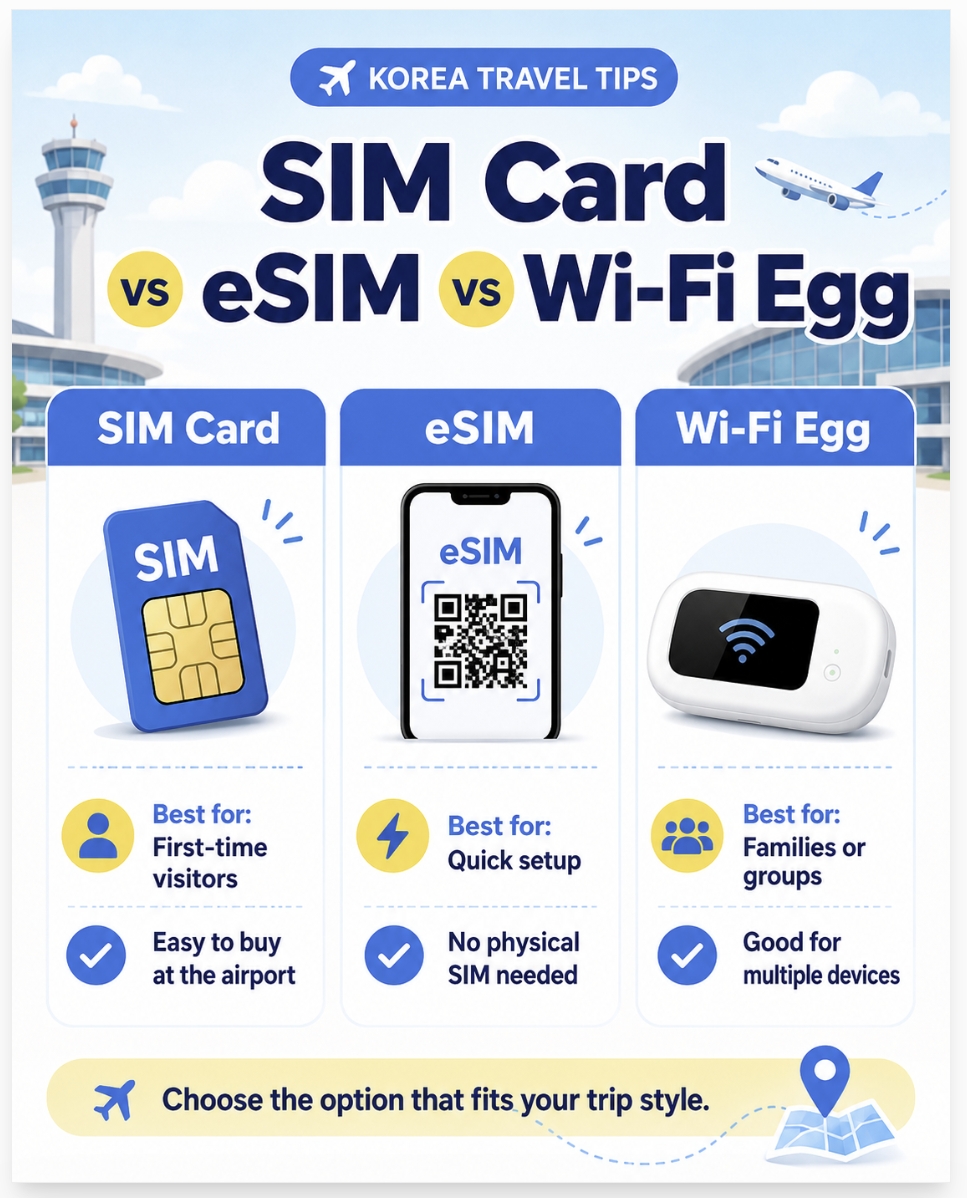
Before choosing a plan, it helps to understand the difference between a physical SIM card, an eSIM, and Pocket WiFi.
In Korea, portable WiFi devices are sometimes called “Wi-Fi Egg,” but many travelers may know them as Pocket WiFi.
OptionBest ForWhat to Know
| SIM Card | First-time visitors | You need to insert the SIM card into your phone. |
| eSIM | Quick setup | No physical SIM card is needed. |
| Pocket WiFi | Families or groups | You need to carry and charge a separate device. |
A physical SIM card is simple and familiar for many travelers.
An eSIM is convenient because you do not need to change your physical SIM card. However, your phone must support eSIM.
Pocket WiFi can be useful for families or groups because several devices may connect to one portable WiFi device. However, you need to carry it with you and keep it charged.
3. What Should You Prepare Before Buying a Korean SIM Card?
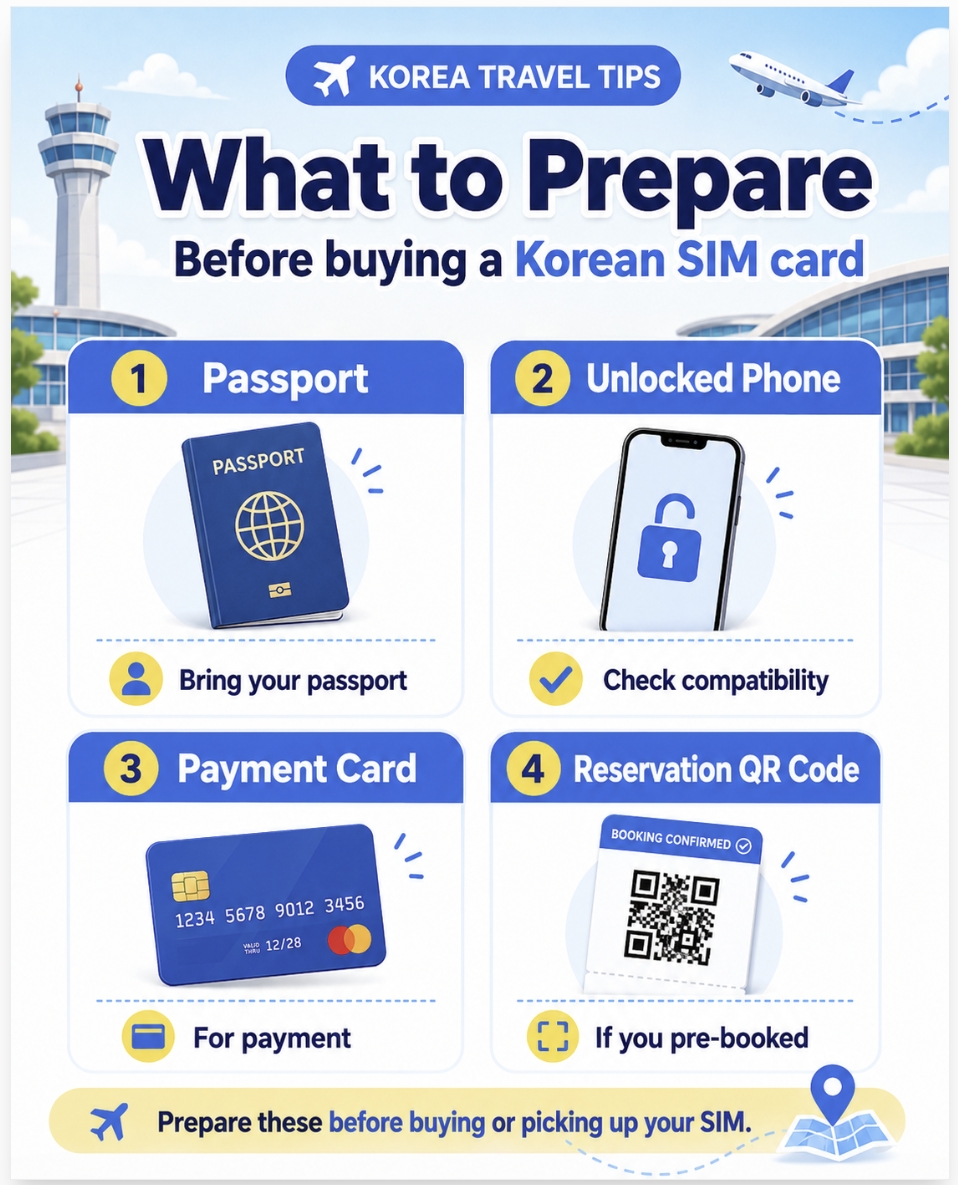
Before buying or picking up a Korean SIM card, eSIM, or Pocket WiFi at the airport, prepare these items.
What to PrepareWhy You Need It
| Passport | Usually required for registration or pickup. |
| Unlocked phone | Locked phones may not work with Korean SIM cards. |
| Payment card | For payment at the counter or online. |
| Reservation QR code | Needed if you pre-booked your SIM, eSIM, or Pocket WiFi. |
If you pre-order your SIM card, eSIM, or Pocket WiFi online, you may need to show a reservation confirmation or QR code at the pickup counter.
A small tip: do not leave the counter immediately after receiving your SIM card or device.
It is better to check that your mobile data works before leaving the airport. If something does not work, it is much easier to get help while you are still at the counter.
4. Which Option Should You Choose?
There is no single best option for everyone.
The right choice depends on your phone, travel length, and how you plan to use mobile data in Korea.
Travel StyleRecommended Option
| Short trip to Seoul | eSIM or short-term SIM |
| First-time visitor | Airport SIM card with staff support |
| Long stay in Korea | Longer-term SIM plan |
| Family or group trip | Pocket WiFi or multiple SIM cards |
| Need local calls or SMS | SIM plan with phone number |
If you only need maps, translation, messaging, and internet browsing, a data-only SIM or eSIM may be enough.
However, if you need to make local calls, receive text messages, or use services that require phone number verification, check whether your plan includes a Korean phone number, voice calls, or SMS.
If you are traveling with family or friends and want to connect several devices at the same time, Pocket WiFi may be useful. Just remember that it needs to be charged and returned if it is a rental device.
5. Local Host Tip from Seoul
Many guests feel more comfortable when they can use maps and messaging apps right after arriving in Korea.
If you are staying near Korea University or Anam-dong, having mobile data before leaving the airport can make your first route much easier.
You can check your subway route, use Naver Map, contact your accommodation host, and look up nearby convenience stores or restaurants without stress.
For first-time visitors, getting connected at Incheon Airport can make the rest of the trip feel much smoother.
6. Common Mistakes to Avoid
Here are a few simple mistakes to avoid when buying a Korean SIM card, eSIM, or Pocket WiFi.
Not checking if your phone is unlocked
If your phone is locked to a carrier in your home country, a Korean SIM card may not work.
Before your trip, check whether your phone is unlocked and can be used with another carrier’s SIM card.
Buying an eSIM without checking compatibility
Not all phones support eSIM.
Before purchasing an eSIM, check your device settings or phone model to make sure it supports eSIM activation.
Leaving the airport before testing your SIM
Always test your mobile data before leaving the counter.
If something does not work, it is much easier to ask for help at the airport than after you have already left.
Choosing data-only when you need calls or SMS
Some plans are data-only.
If you need a Korean phone number, local calls, or text messages, check the plan details carefully before buying.
Forgetting your passport
Your passport may be required when buying or picking up a SIM card.
Keep it easy to access when you arrive at the airport.
Forgetting to charge Pocket WiFi
If you rent Pocket WiFi, remember that it is a separate device.
It can be useful for groups, but you need to keep it charged during the day.
7. FAQ
Can I buy a Korean SIM card at Incheon Airport?
Yes. You can buy or pick up a Korean SIM card at Incheon Airport. Major telecom providers have airport service counters or pickup locations, but locations and opening hours may vary.
Is eSIM better than a physical SIM card in Korea?
An eSIM is convenient if your phone supports it. However, a physical SIM card may be easier for first-time visitors who want staff support at the airport counter.
What is Pocket WiFi in Korea?
Pocket WiFi is a small portable WiFi device that you can carry with you. In Korea, it is sometimes called “Wi-Fi Egg.” It can be useful for families or groups because multiple devices can connect to one device.
Do I need a Korean phone number?
For basic travel, maps, translation, and messaging, data may be enough. But if you need local calls, SMS, or some app verifications, a plan with a Korean phone number may be useful.
Can I use free WiFi in Korea instead?
Free WiFi is available in many places in Korea, but it is not always reliable when you are moving around. Mobile data is more convenient for maps, transportation, and messaging.
Should I buy a SIM card before arriving in Korea?
Pre-ordering can save time, especially during busy travel seasons. If you pre-order, make sure you know the pickup location and what documents or QR codes you need to show.
8. More Korea Travel Tips
If this guide was helpful, you may also like these Korea travel guides:
How to Use a Tmoney Card in Seoul
How to Use a Tmoney Card in SeoulEasy Transportation Guide for Korea University Students and First-Time Visitors If you are visiting Seoul for the first time, a Tmoney card is one of the easiest ways to use public transportation in Korea.This guide is espe
ncss66.com
How to Get from Incheon Airport to Anam-dong, Seoul (2026) — Subway, Bus & Taxi Guide
The easiest route to Korea University, Anam Station, and STAY Lumi — from an experienced local host If you're visiting Korea University, staying in Anam-dong, or heading to a guesthouse near Anam Station (Line 6) — one of the first questions you'll hav
ncss66.com
How to Install Naver Map Before Traveling to Korea (2026)
The Essential Navigation App for Korea University Students & Seoul VisitorsWhy Google Maps isn't enough in Korea — and what to use instead Planning your first trip to Seoul — or just arrived?Before you do anything else, install Naver Map (네이버지
ncss66.com
9. Final Thoughts
Buying a SIM card at Incheon Airport is one of the easiest ways to start your Korea trip smoothly.
Before choosing a plan, check your phone type, travel length, and whether you need data only or a Korean phone number.
If you are traveling alone, a SIM card or eSIM may be enough. If you are traveling with family or friends, Pocket WiFi may also be a good option.
Once you are connected, using maps, transportation apps, and translation tools in Korea becomes much easier.
For first-time visitors to Seoul, setting up mobile data before leaving the airport can make the first day of travel feel much more comfortable.
'Korean Life Tips' 카테고리의 다른 글
| Seoul Subway Guide: How to Take the Subway in Korea (0) | 2026.07.06 |
|---|---|
| Naver Map vs Google Maps in Korea — Which App Do You Actually Need? (2026) (0) | 2026.07.03 |
| How to Get from Incheon Airport to Anam-dong, Seoul (2026) — Subway, Bus & Taxi Guide (0) | 2026.07.01 |
| How to Install Naver Map Before Traveling to Korea (2026) (0) | 2026.06.30 |
| How to Use a Tmoney Card in Seoul (0) | 2026.06.25 |


